In today’s fast-paced digital world, daily planning has become a major challenge. Adjusting work, managing time, and keeping everything organized is no longer easy. Work responsibilities, personal life, goals, meetings, and deadlines all demand attention at the same time. Because of this, managing everything together often feels overwhelming.
Artificial intelligence is now playing an important role in making our daily lives easier. One of the best solutions to this problem is AI apps for daily planning. These apps do not only save time but also help manage tasks more efficiently. By using artificial intelligence, they plan your day in a smart way, reduce stress, and increase overall productivity. For many people, these apps have become extremely helpful in daily life.
In this article, we will explain the top 10 AI apps for daily planning in detail that are becoming popular among users and are very useful for managing daily routines.
1. Motion – Smart AI Daily Scheduler

Motion is a powerful AI planning app that analyzes your tasks and calendar to create an automatic daily schedule. It saves a lot of time by organizing your work efficiently. If a meeting is delayed or a task takes longer than expected, the app automatically rearranges your entire schedule in a smart way.
Key benefits:
- Automatic time blocking
- Smart task prioritization
- Calendar integration
Best for: Freelancers, bloggers, and busy professionals
2. Todoist AI – Smart To-Do List Planner
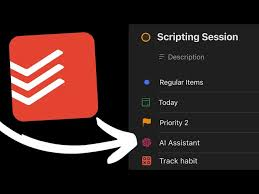
Todoist AI is a simple yet powerful AI-based to-do list app. You can write tasks in normal language, and the app automatically schedules them for you. It is very useful because you do not need to worry about complex commands or formats.
Features:
- AI-based task suggestions
- Smart reminders
- Clean and easy-to-use interface
Best for: Beginners and daily task planners
3. Notion AI – All-in-One Planning Tool
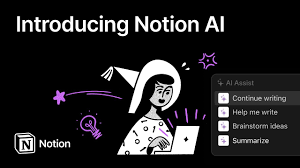
Notion AI is a complete planning and organization tool. You can manage daily planning, notes, goals, and content all in one place. It reduces the chances of losing important data and helps keep everything organized. The AI understands your information and provides helpful suggestions.
Key highlights:
- Custom dashboards
- AI-generated tasks
- Suitable for personal and professional use
Best for: Students, bloggers, and content creators
4. Sunsama – Mindful Daily Planning App

Sunsama focuses not only on productivity but also on balanced planning. Maintaining balance is very important, and this app makes work feel easier and less stressful. It helps set realistic daily goals using AI so that users do not feel overwhelmed.
Top features:
- Guided daily planning
- Calendar synchronization
- AI-based priority suggestions
Best for: People who want to avoid overworking
5. TickTick AI – Habit-Based Planning

TickTick AI focuses on daily tasks as well as habit building. Its AI helps decide which tasks should be done first and which can be done later. This makes tasks more manageable and organized.
Benefits:
- Habit tracking
- Pomodoro timer
- Smart reminders
Best for: Self-improvement and routine building
6. Morgen – AI Calendar Planner

Morgen is an advanced AI calendar app that manages multiple calendars and tasks in one place. It makes time management much easier and helps users stay organized throughout the day.
Key points:
- Multi-calendar support
- Time blocking
- Productivity insights
Best for: Calendar-based planners
7. Tiimo – Visual AI Daily Planner
Tiimo is designed for people who prefer visual planning. It shows daily schedules in a timeline format, which makes them easier to understand. This visual approach helps users follow their routine more comfortably.
Special features:
- Visual schedules
- Gentle reminders
- AI assistance
Best for: Visual learners and creative users
8. Google Workspace AI – Smart Daily Summary

Google’s AI tools analyze Gmail and Calendar data to provide daily planning suggestions. The best part is that it works without installing any extra apps. It helps make daily work easier and more organized.
Why it is useful:
- Email and calendar insights
- Automatic task suggestions
- Easy integration
Best for: Google Workspace users
9. Reclaim AI – Smart Time Blocking Tool

Reclaim AI automatically blocks time in your calendar for tasks, habits, and meetings. Whenever your schedule changes, the app adjusts everything automatically. It is one of the best tools for smart scheduling.
Benefits:
- Automatic scheduling
- Habit planning
- Smart calendar optimization
Best for: Professionals with busy schedules
10. ClickUp AI – Daily Planning with Projects

ClickUp AI is ideal for users who manage daily tasks along with long-term projects. The AI creates tasks from notes and suggests priorities. It is a very useful tool for improving workflow and collaboration.
Top features:
- AI task creation
- Project planning
- Team collaboration
Best for: Teams and startups
Why AI Apps Are Important for Daily Planning
AI planning apps do much more than simple reminders. They:
- Understand user behavior
- Reduce time waste
- Help make smarter decisions
Compared to manual planning, these apps are faster, smarter, and more effective.
How to Choose the Right AI Planning App
Before selecting an app, consider the following:
- Your daily workload
- Preference for tasks or calendars
- Solo or team usage
- Mobile and desktop support
The right AI planning app can make your life much easier.
Conclusion
AI apps for daily planning have become essential for anyone who wants to stay productive. These tools make work easier, more manageable, and better organized. They not only improve workflow but also help save valuable time.
Whether you are a student, blogger, or freelancer, these tools can help you plan better, reduce stress, and achieve better results. Based on personal experience, using these tools can help you work in a smarter and more efficient way.
If you want to plan your day smartly, make sure to try AI planning apps.
Let us know in the comment section which apps you have used. Thanks for reading!
“try this app”https://infovistaworld.com/top-10-productivity-tools-for-small-businesses/